Batch Image Software


ReaConverter Pro - advanced image converter

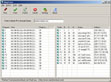
Working on digital images with different devices and software often ends up with images that have different extensions which usually need to be converted to a particular format and edited to view, print, post to the web, etc. ReaConverter Pro combines batch image conversion between 340 formats with various image editing and saving operations at once or automatically scheduled. EPS, multipage PDF/GIF/TIF and command line mode supported. ReaConverter Pro - advanced image converter software is a shareware filed under graphics image converters, graphics image editing, graphics utilities, multimedia and design image editing, multimedia, design image editing utilities.

Batch Image Converter 3Plus

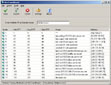
Universal Batch Converter allows users quickly convert thousands of files from one format into another: batch image resizing, batch Image converting, convert one type of file to another, multi-page TIF into single files, single files into one TIF. All documents can be selected and processed at once. Ideal solution for organizations that regularly batch print and convert image files. No additional software required.

Seeryous Capture

Image capturing software that allows anything on screen to be captured, edited, and saved in a variety of formats including (PDF, GIF, JPG, BMP, PNG, PCX, FXP, TIF). Includes batch image re sizing functionality to resize multiple (JPG, GIF, BMP, TIF) images (to a specified size, or percentage of original) quickly and easily. Resize functionality allows optional prefix definition to save originals with prefix, as not to over write the original. This shareware is listed under screen capture, image editing category.

AutoImager

Powerful and full-featured batch image editing, processing, and conversion software. Over 70 image formats and 70+ editing and processing operations are provided. The software's interface is very intuitive and can be utilized quickly and efficiently by computer users of any experience level. All operations have numerous options that can be optionally set for maximum control, and extensive command-line support is present for advanced purposes.

ReaGif - image converter to Gif

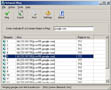
Combine batch image conversion from any format to GIF with plenty of image editing operations. For example, you can resize a folder of images with different extension to half the original size, rotate, change colors, rename, crop, make borders, and save in GIF - all in a single step. It can be easily integrated to shell so you can work on your images right from Windows.

Fotosizer

This graphics tool is a freeware batch image resizer tool. It resizes your photos in just 3 easy steps - Photo selection, select resize settings, Start the resize! - Choose to resize by percentage of width and height - Choose to set custom width and height - Parameterised output filenames (width, height, date) - Maintain aspect ratio - Change Image quality - Convert images to black and white/Negative. This freeware is listed under graphic apps editors category.

PDF to Jpeg/Jpg/Tiff/Bmps converter

A batch image converter that convert PDF documents to image supporting Jpeg, Jpg, Tiff, Bmp, Eps, Ps image formats. It provides a fast, affordable way to convert a lot of adobe PDF files to popular image format once time for saving your time! Its easy-to-use interface allows you to create Image files from PDF documents by simply few clicks. It supports batch converter mode.

EyeBatch

This graphics tool is a powerful and intuitive batch image processor. Supports most popular image formats with over 50 functions including resizing, converting, text and image overlays, full transparency support, EXIFsupport, Image slicing, autocrop, color levels, and more. All of this with extraordinary previewing capabilities. EyeBatch may be used for single or multiple image processing. Perfect for preparing images for the web and making thumbnails.

Batch Image Commander

This graphics tool is a batch image processor made for command line operation and as a System Tray Icon application for timer based operation. Batch Image Commander allows you to create thumbnails, add text captions, rotate images, resize images, add prefix and suffixs, save as jpeg, tiff, png, bmp and gif, convert images to grayscale and negative images, change jpeg quality, smoothing ratio and DPI.

Batch J2K Converter

This graphics tool is a blazing fast batch image converter which is made to handle large jpeg 2000 images fast. It allows you to resize, convert, add watermark, add caption and more to your images. Apart from JPEG 2000, it can handle JPEG, BMP, TIFF and other commonly used image format. It is a must have for anyone who needs to convert JPEG-2000 Maps with Geo-TIFF to an easily available image format. This graphics software is categorized under graphic apps converters, optimizers.

StreamAction

This graphics tool is batch image converter and editor. There are 20+ photo effects available, including mosaic, shadow, border, page curl, whirl, etc. You can enhance your photos using variety of filters - sharpen, blur, contrast, emboss, smoothing noise, color balance and more. Rotate Images, change their size, crop or mirror, write text on image with different font and color, or apply watermark - and do all that with all your photos at once!

Pic2Pic

This graphics tool is a batch image converter that offers a set of advanced settings to achieve excellent output results. You can convert images to all popular image formats and apply some enhancements in the batch mode. Images can be resized, rotated, adjusted for better contrast and brightness, and enhanced with watermarks and frames. Unlike many competitors, Pic2Pic converts PDF and EPS images, and supports RAW formats of over 100 digital cameras.

AutoBatch It!

This graphics tool v2 is a batch image processor made for command line operation and as a System Tray Icon application for timer based operation. AutoBatch It! v2 allows you to create thumbnails, resize images, add prefix and suffixs, save as jpeg, tiff, png, bmp and gif

Batch Image Resizer

This program works with the major image formats, including JPEG, BMP, GIF, PCX, and PNG. You can batch-resize, rotate, and stamp text on your images, and convert formats. You can view images and GIF animations before or after editing. Batch Image Resizer software is a shareware filed under imge editing utilities.

Ace ImageBot

This is a powerful batch tool which assist You to perform different transformations with Your images. It gives You full control on image size, color model, file format and also it's content with which You can do everything You want: rotate, flip, resample, apply bump mapping and so on. This is the best tool for Your favorite home albums treatment, it is a webmasters dream of a mighty batch image processing. Ace ImageBot software is a shareware filed under image, processing, resize, cut, resample, images utilities.

Versal HTTP Image Upload ActiveX Control

A forceful and attractive solution for your sites to upload thousands of images. This upload ActiveX with a user-friendly and easy-to-use uploading interface. even for untrained users ,they can use it easy. you overcome the limitations of traditional form-based uploading. This ActiveX support batch image uploader, image thumbnail view, image preview and full screen features.

ACDSee Plugin - RoboEnhancer

RoboEnhancer is an image batch processing tool that saves you time by giving you the power to transform images quickly with multiple adjustment image scripts. The ability to perform batch image adjustments makes it much more than just watermark software, a batch converter, or a basic digital photo processing tool. You can crop hundreds of images to the same size, correct color, adjust exposure, insert a watermark, and add text all at once.

BIMP Batch Image Processor

BIMP- Batch IMage Processor. A batch image editor which allows you to perform various functions on multiple images. BIMP is a must have utility for webmasters (thumbnailing etc.) and people with digital cameras, and best of all it's absolutely FREE! Functions: Resize, Prefix Filename, Suffix Filename, Remove Spaces, Antialias, Emboss, Rotate, Flip Horizontally, Flip Vertically and Change Format.

ClearImage SDK

Easily develop fast reliable applications to recognize poor quality Code 39 Code 128 PDF417 UPC UCC Postnet 2of5 DataMatrix and many other barcodes from document images. Automatically Improve Denoise Deskew Rotate and manipulate scanned or faxed images. ClearImage FREE SDK contains the ActiveX tools to Evaluate, Develop, Test and Deploy image data capture applications in Visual Basic, C++ and Delphi. Comes with FREE professional consulting

OptimizeBatch

This graphics tool is a versatile and robust tool for converting thousands of image files to any format of your choice in just a click You can choose from the most effective compression formats for your image for the web, e-mailing, storing, faxing, etc,. Apply minute settings and see changes in a real time. You can quickly and easily compares your original image with optimized image by its visual quality, size, colors etc. in a double pane view.

WSnap

Wsnap is a screen capture tool that will help you take snapshots of all elements of the screen, including 3D games and Flash animation. It combines a handful of features, including the abilities to capture the entire screen, windows, controls, cascading and floating menus, and areas of different shapes. All is delivered in a skinable interface. Complete configuration of the settings, as well as automation of after capture actions is available. This shareware is listed under graphic apps screen capture category.

Photo Toolkit

This graphics tool is a free powerful and easy-to-use program to improve your digital images. With only a few clicks, you can automatically correct colors and remove red eye from a number of photos, retouch portraits, whiten teeth, add lighting effects, straighten and resize photos and more, directly from the standard Windows picture viewer. Correct your shots while viewing them.

Usingit Image Resizer

This graphics tool will help you to process a lot of images with several clicks. Don't be fool by the name of this tool. It can do more jobs than resize such as converting the image from one format to another, renaming it with auto-increased series number, rotating and sharpening, even adding text stamp, and resizing. With batch process feature, you just need to drag and drop the images to a list and the program will do all other jobs. Usingit Image Resizer is licensed as shareware and filed in image utilities section.

Quick ePics Batch

QuickePics combines the benefits of Batch and WYSIWYG image editing, into a highly scalable and easy to use program. It saves you hours preparing and optimizing your images. You can review, edit, and JPEG optimize your images even as they are batch processed. Quick ePics behaves like a single image editor when only one image is selected, so it is convenient for jobs of all sizes.

STGThumb

Allows you to quickly make high-quality thumbnails.You can convert from several formats (AVI;JPG;TIF;PNG;BMP;etc). Outputs to JPG. On AVIs you get a thumbnail of the first frame. Option to auto-rotate images to get a better fit. Special effects on the thumbnails: Blur,Sharpen,Emboss, Fuzzy Blur. HTML page and HTML Slide Show generation.

BatchImage

This graphics utility allows you to batch convert image files. It includes an effect edit function and allows you to stamp copyright information on your images. It supports JPG, BMP, TIFF, PCX, PCD, PSD, TAG, PNG, WMF, EMF, GIF and PIC file formats. This graphics software is categorized under graphic apps converters, optimizers.

uMark Lite

This graphics tool enables you to add a text or image watermark to your digital photos. You can choose from 9 pre-defined watermark placements, set a custom font , size and color, as well as opacity level. The freeware version can batch process up to 50 images in a single run. The watermarked images are saved in a new folder, so your originals remain unchanged.

Ai Picture Explorer

Enhance and correct any image. Create Web catalogs. Thumbnail CD/DVD volumes. Organize pictures by visual content, date, size, keyword. Integrated batch unZIP, rename-by-date, move/delete functions coordinate with its Explorer. Print in variable sizes. Create slide shows w/ 173 effects, widescreen view, zoom options and more - per slide. Edit/collage, remove red eye, read EXIF, change wallpaper, smooth resample, rotate, add borders/text, more!

QuickResizer

This graphics utility resizes and converts image files in batches. It is a convenient tool to quickly shrink your picture files to a smaller size. It saves you time from having to open each file individually in a graphic software, resize it, and then save it. You can launch QuickResizer from Windows Explorer's context menu by right-clicking on the file, or you can drag and drop your picture files onto QuickResizer.

FlyConverter

This graphics tool is a powerful tool to convert and edit image files in automatic mode. For example, FlyConverter can select all uncompressed TIF files and convert them to a Group 4 compressed TIFs every hour OR process JPG images larger than 640 x 480 pixels every day, week and so on. To start processing image files you will need to create a scheduled task for each type of conversion.

Iseult

This is a batch conversion tool that resizes your images and saves them as JPEGs. It supports many different image file formats and can modify a large number of images at once.

uMark Professional

uMark enables you to add a text or image watermark to your digital photos. You can fully customize the placement of your watermark, set a custom font , size and color, as well as opacity level. You can insert special characters like © and ® and also rotate the watermark. uMark can process images of type jpg, gif, bmp, png and tiff. You can rename the resulting images and even cerate thumbnails.

iQImageStudio

This graphics tool is a user-friendly yet powerful and feature-rich tool for Windows to edit and convert image files from many formats in batch mode at the click of a button. iQentos iQImageStudio allows you to convert any image to JPG, JP2, J2K, PNG, GIF, TIF, BMP, PCX, TGA, PDF, PS file formats and edit it by means of such function as rotating, resize, change image''s brightness, contrast, change color balance using the filters and etc. iQImageStudio is licensed as shareware and filed in graphic apps converters, optimizers section.

EdTech MASSGraphics

This graphics tool is intended for simultaneous processing of images in great numbers. It boasts a wide variety of image editing tools including resizing, rotation, cropping, adding watermarks and captions, that can be performed on multiple files. Also, MASSGraphics allows you to convert any number of images from more then 10 image formats and organize them in HTML galleries.

Turbo Browser

Open over 200 file formats, from editable documents, pictures, and HTML to CAD and MIME. Organize everything with the searchable catalog. Print groups of documents in batch, or print a thumbnail contact sheet of your photos. All in one place! It lets you create catalogs with your own search words. It comes with CodeWorks, an easy to use HTML editor with HTML Helper. Its Selection Tray makes finding and processing multiple files a real breeze. Turbo Browser is licensed as commercial and filed in image viewer, media management section.

Picture Resize Genius

This graphics tool is a simple, easy-to-use and batch processing program for your photos, images and pictures. The program can resize graphics files for the purpose of email and web sites, or just to save space on your hard drive, or whatever reason you might have. Picture Resize Genius can be used to resise images from your photos or pictures, add a text overlay (watermark), rename file and more. This graphics software is categorized under editor.


Copyright (C) 2003-2009 FilesLand Software