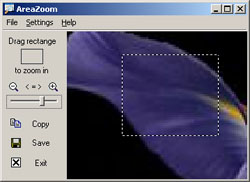
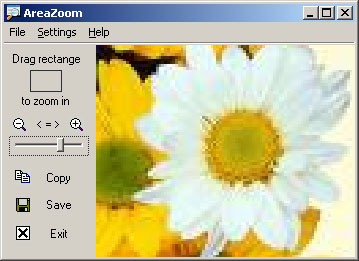
AreaZoomEver wondered how to capture or magnify a certain area of your screen? AreaZoom is made for it. With the help of this utility you may zoom in on a specific part of your desktop screen, further select a desired area on a preview screen and copy it to the clipboard or save as as bitmap file on your hard drive. Just drag a magnifying rectangle on an area of the screen and a zoomed image will be displayed in the working area of the program. Multiple magnification levels, continuous preview, copy directly to clipboard, stay on top are just a few of the additional options available. |
|
 |
Software Version:
3.22 Size: 413 KB Released: June 20, 2012 Price: $19.95 Operating Systems: Windows 7/8/8.1/10 
 |
AreaZoom HelpWhat you can do with AreaZoom? First of all you may zoom in your screen. Just drag a selection rectangle over the screen and a magnified portion of it will be displayed in a preview window. Also you may then select a desired area on the preview window by pressing the left mouse button on the preview area and dragging the mouse. The area will be marked with a dashed rectangle. Use "File" menu or press corresponding buttons to save the selected areas as a bitmap on your hard disk or copy image to the clipboard. By default the resulting image will be saved in a 24-bit bitmap format. This software improves the well known ZoomIt utility included as a part of Windows from older times. It extends the functionality of ZoomIt by adding easy-to-use controls to choose magnification level and save and copy the captured images. With AreaZoom you may magnify small text or icons as well. It may be particularly useful for web designers that quickly want to capture a precise measured area on the screen and paste it to their graphics application, or an icon, without extracting it from the file. |
|
 |
|